
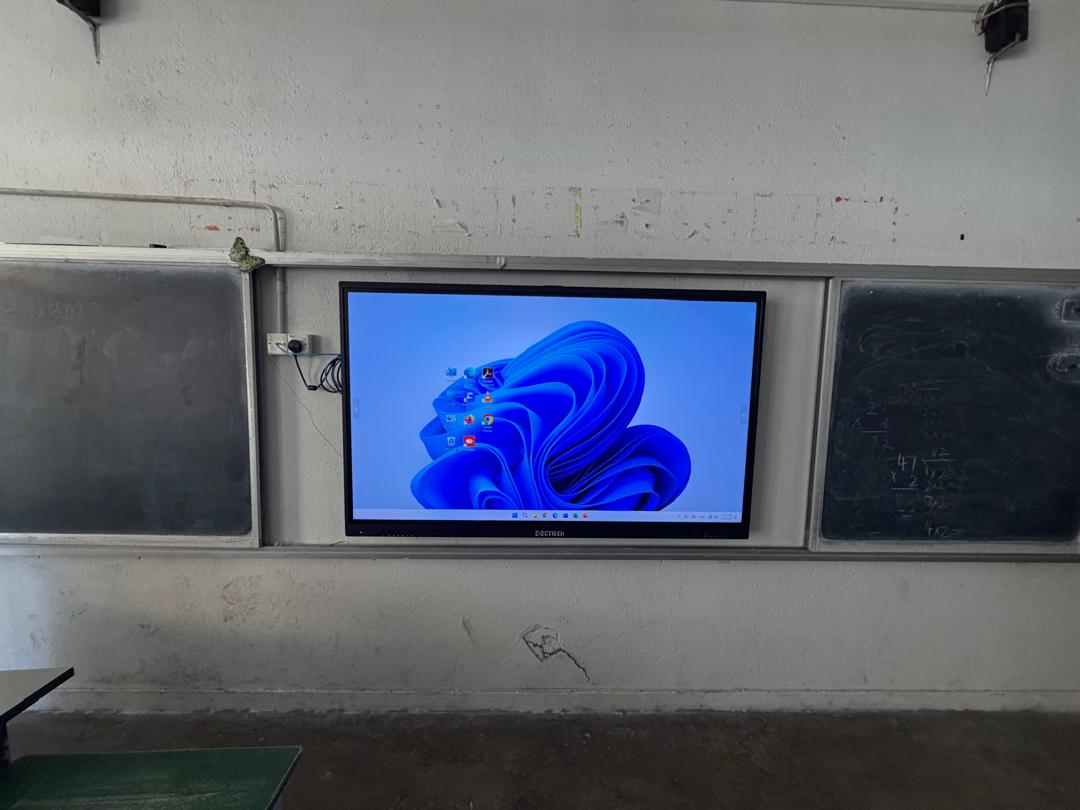
Digital Whiteboard with Built-in Whiteboard Software: What Businesses Should Know Before Buying in 2026
Introduction
The way businesses communicate and collaborate has changed dramatically over the past decade. Traditional whiteboards, flip charts, and projectors that once dominated meeting rooms are gradually being replaced by smarter, more interactive solutions. Today, whether you’re running a corporate office, engineering firm, design studio, training centre, healthcare facility, or educational institution, a digital whiteboard has become an essential productivity tool.
However, one common mistake many buyers make is focusing only on the hardware specifications.
Questions like:
- Is it 4K?
- Does it have Android 14?
- How much RAM does it have?
- Does it support Intel OPS?
are important—but they only tell half the story.
A modern digital whiteboard is much more than a touchscreen display. The real value comes from the combination of high-quality hardware and intelligent whiteboard software. Without capable software, even the most expensive smartboard becomes nothing more than a large display. Likewise, excellent software running on underpowered hardware can result in lag, slow response times, and a frustrating user experience.
In this guide, we’ll explain everything businesses should know before investing in a digital whiteboard, including how hardware and software work together, what features truly matter, which industries benefit the most, and how to choose a solution that delivers long-term value rather than just the lowest purchase price.
What Is a Digital Whiteboard?
A digital whiteboard is an interactive touchscreen display that combines the functionality of a traditional whiteboard, computer, presentation system, and collaboration platform into one device.
Instead of writing with dry-erase markers, users can:
- Write using a stylus or finger
- Draw diagrams instantly
- Annotate presentations
- Import PDF documents
- Open Microsoft Office files
- Save meeting notes digitally
- Share content wirelessly
- Collaborate with remote participants
Unlike older projector-based interactive whiteboards, modern digital whiteboards use high-resolution LCD technology with multi-touch capabilities, providing a smoother, brighter, and far more responsive experience.
Why Digital Whiteboards Are Becoming Standard in Businesses
The workplace has changed significantly since hybrid work became mainstream. Employees now collaborate from multiple locations, clients expect more engaging presentations, and businesses require faster decision-making.
A digital whiteboard solves many everyday challenges.
Instead of spending time connecting multiple devices, searching for markers, taking photos of handwritten notes, or rewriting meeting minutes, everything can happen on one platform.
Imagine a weekly sales meeting.
Instead of writing ideas on a traditional whiteboard and later typing them into a report, your team can brainstorm directly on the digital whiteboard, save every annotation instantly, and email the notes to everyone before the meeting even ends.
That simple improvement saves valuable time every week.
Now multiply those time savings across an entire year.
Hardware vs Whiteboard Software – Why Both Matter
One of the biggest misconceptions is that buying a smartboard is simply about buying a large touchscreen.
In reality, there are two equally important components:
Hardware
The hardware includes:
- LCD display panel
- Touch technology
- Processor
- Memory (RAM)
- Storage
- Speakers
- Camera
- Microphones
- Android operating system
- Connectivity ports
- Wireless module
Good hardware ensures the board performs smoothly.
Whiteboard Software
The software determines how users interact with the board.
This includes:
- Writing experience
- Annotation tools
- Shapes
- Infinite canvas
- Collaboration tools
- Screen recording
- Import/export functions
- Multi-user support
- AI features
- Cloud integration
The software is what employees use every day.
If the software feels complicated or slow, the hardware specifications become much less important.
Why Whiteboard Software Is More Important Than Many Businesses Realize
Think of buying a smartboard like buying a smartphone.
A phone may have the latest processor and camera, but if the operating system is poorly designed, the user experience suffers.
The same applies to digital whiteboards.
Good whiteboard software should feel natural.
Users should be able to:
- Start writing immediately
- Change pen colours easily
- Insert images quickly
- Zoom without lag
- Draw shapes automatically
- Save files effortlessly
Every second saved contributes to higher productivity.
Key Features Every Business Should Look For
1. Natural Writing Experience
Writing should feel as close as possible to using a traditional marker.
The best digital whiteboards provide:
- Low writing latency
- Palm rejection
- Pressure sensitivity
- Smooth handwriting recognition
Employees should never feel like they’re fighting against the technology.
2. Multi-Touch Collaboration
Modern meetings are collaborative.
Instead of one presenter controlling everything, multiple participants should be able to interact simultaneously.
For example:
An engineering team reviewing building plans can have several engineers marking different sections of the drawing at the same time.
This dramatically speeds up discussions.
3. Infinite Canvas
One limitation of traditional whiteboards is physical space.
Digital whiteboards eliminate this problem.
Instead of erasing content, users simply continue writing on an infinite canvas.
This is especially useful during:
- Brainstorming sessions
- Project planning
- Product development
- Strategic meetings
4. Intelligent Shape Recognition
Instead of manually drawing perfect boxes or circles, intelligent software automatically converts rough sketches into clean professional diagrams.
This is particularly useful for:
- Flowcharts
- Organisation charts
- System architecture
- Engineering diagrams
5. Import and Annotate Documents
Businesses frequently work with:
- PDF files
- Excel spreadsheets
- PowerPoint presentations
- Word documents
- CAD drawings
- Images
Good whiteboard software allows users to annotate directly on these documents without converting file formats.
6. Save Everything Digitally
One of the biggest frustrations with traditional whiteboards is losing valuable information.
Someone forgets to photograph the board before erasing it.
The discussion is gone forever.
Digital whiteboards automatically allow users to save:
- Meeting notes
- Brainstorm sessions
- Training materials
- Client discussions
Files can then be shared instantly.
7. Wireless Screen Sharing
Employees increasingly bring different devices into meetings.
Some use Windows laptops.
Others use MacBooks.
Some rely on tablets or smartphones.
A modern digital whiteboard should support wireless presentation from multiple operating systems without requiring complicated setup.
Which Businesses Benefit Most from Digital Whiteboards?
Many people still associate smartboards primarily with schools.
That is no longer true.
Today, digital whiteboards are transforming operations across numerous industries.
Corporate Offices
Used for:
- Weekly meetings
- Sales presentations
- Strategy discussions
- Financial planning
- Executive collaboration
Engineering Companies
Engineers frequently work with:
- AutoCAD
- Building Information Modelling (BIM)
- Structural drawings
- Mechanical layouts
Large 4K digital whiteboards allow teams to review technical drawings in remarkable detail.
Architects & Interior Designers
Design presentations become much more interactive.
Instead of flipping through printed drawings, designers can:
- Zoom into floor plans
- Mark revisions
- Compare concepts
- Collaborate with clients in real time
Manufacturing Companies
Factories use digital whiteboards for:
- Production meetings
- Quality control reviews
- Lean manufacturing planning
- Safety training
Instead of printing production charts daily, information can be displayed and updated instantly.
Healthcare
Hospitals increasingly use digital whiteboards for:
- Medical training
- Patient education
- Staff collaboration
- Conference rooms
Medical images can be displayed in high resolution while doctors annotate directly on the screen.
Creative Agencies
Creative teams appreciate features such as:
- Drawing tools
- Colour palettes
- Infinite canvas
- Mood boards
- Storyboarding
The interactive environment encourages creativity and faster idea generation.
Why Display Quality Matters
The display is one of the first things users notice.
Modern business environments require:
- 4K UHD resolution
- Wide viewing angles
- High brightness
- Anti-glare glass
- Accurate colours
Low-resolution displays make detailed documents difficult to read.
This becomes especially problematic for:
- Engineers
- Financial analysts
- Architects
- Designers
Why Processing Power Is Becoming Increasingly Important
Today’s users expect much more than simple presentations.
Many businesses now use digital whiteboards for:
- Large engineering drawings
- High-resolution architectural plans
- 3D visualisation
- GIS mapping
- Product rendering
- Interactive simulations
- Video conferencing
- AI-assisted collaboration
These workloads require strong processing capability.
This is why premium smartboards increasingly support high-performance Intel OPS modules.
For graphics-intensive industries, GPU performance becomes just as important as screen quality.
A well-equipped digital whiteboard ensures smooth zooming, faster rendering, and responsive touch performance, even when handling complex files.
Whiteboard Software Features That Truly Improve Productivity
While many businesses compare processors, RAM, Android versions, and screen sizes, the software experience is often what determines whether employees actually enjoy using a digital whiteboard.
Imagine purchasing a premium sports car but installing outdated navigation software. The hardware may be excellent, but the overall experience would still be disappointing.
The same principle applies to digital whiteboards.
Professional whiteboard software should simplify collaboration, not complicate it. It should help teams work faster, organize ideas more clearly, and communicate more effectively.
Below are some of the most valuable software features businesses should look for.
1. Unlimited Whiteboard Canvas
One of the biggest limitations of a traditional whiteboard is space.
Eventually, you run out of room and need to erase valuable notes.
Modern digital whiteboard software removes this limitation completely by providing an infinite canvas.
Whether your brainstorming session lasts ten minutes or three hours, you can continue expanding your workspace without losing previous ideas.
This feature is especially useful for:
- Product development
- Strategic planning
- Software architecture
- Engineering discussions
- Business process mapping
2. Multiple Pen Types and Colors
Professional meetings often require more than just black ink.
Different colors help organize information more effectively.
For example:
- Red for issues
- Green for completed tasks
- Blue for discussion points
- Orange for action items
Advanced software also includes:
- Highlighter
- Pencil mode
- Brush mode
- Laser pointer
- Eraser with adjustable size
These small details significantly improve presentation quality.
3. Smart Shape Recognition
Many people struggle to draw neat diagrams.
Fortunately, modern whiteboard software can automatically convert rough sketches into clean shapes.
Draw a rough circle, and the software creates a perfect one.
The same applies to:
- Squares
- Rectangles
- Arrows
- Flowcharts
- Organizational charts
This saves time while making presentations look much more professional.
4. Handwriting Recognition
Some digital whiteboards can convert handwritten notes into editable text.
This is useful during meetings because handwritten brainstorming can later become typed meeting minutes without requiring someone to manually retype everything.
5. Screen Recording
Many businesses now record:
- Training sessions
- Product demonstrations
- Internal meetings
- Technical workshops
Instead of setting up additional recording equipment, whiteboard software can record both screen activity and annotations directly.
Employees who miss the meeting can review it later.
6. Annotation Over Any Content
One of the most useful features is the ability to write directly over almost any content.
Examples include:
- PowerPoint presentations
- Excel reports
- PDF files
- CAD drawings
- Maps
- Images
- Websites
This creates a much more interactive discussion compared to simply presenting slides.
7. Easy File Sharing
After meetings, everyone usually asks the same question:
“Can you send me the notes?”
Instead of taking photos of a whiteboard, digital whiteboards allow instant sharing via:
- QR Code
- USB
- Network Folder
- Cloud Storage
Meeting documentation becomes almost effortless.
Why Hardware Specifications Matter
Although software plays a critical role, strong hardware ensures a smooth experience.
4K UHD Display
A 4K display provides four times the detail of Full HD.
This becomes especially important when viewing:
- Large Excel spreadsheets
- Engineering drawings
- Medical images
- Architectural plans
- High-resolution photographs
Text remains sharp, and small details are easier to read.
Zero Bonding Technology
Premium digital whiteboards now use Zero Bonding technology.
This reduces the gap between the LCD panel and protective glass, resulting in:
- Better writing accuracy
- Lower parallax
- Clearer images
- Improved touch response
Writing feels more natural, similar to using pen on paper.
Android 14 Operating System
Modern smartboards increasingly use Android 14 because it offers:
- Better performance
- Improved security
- Faster multitasking
- Longer software support
This helps protect your investment for years to come.
Intel OPS Expansion
Many businesses require Windows applications that cannot run directly on Android.
Examples include:
- AutoCAD
- SolidWorks
- Microsoft Project
- ERP software
- Industry-specific applications
Digital whiteboards supporting Intel 13th Generation OPS modules allow businesses to transform the smartboard into a full Windows workstation whenever needed.
Industries That Benefit from Powerful Hardware
Many people still think digital whiteboards are only suitable for classrooms.
In reality, adoption has expanded rapidly into professional industries.
Engineering Firms
Large mechanical and structural drawings require:
- High-resolution displays
- Powerful processors
- Smooth zooming
- Fast rendering
A premium digital whiteboard allows engineers to review complex drawings together without printing large-format plans.
Architecture & Construction
Architects frequently present:
- Floor plans
- 3D building models
- BIM projects
- Interior layouts
Large touchscreens allow clients to mark revisions directly on screen, speeding up project discussions.
Manufacturing
Manufacturers use digital whiteboards to monitor:
- Production schedules
- Lean manufacturing boards
- Quality control reports
- Equipment maintenance plans
Information updates instantly, reducing paper waste.
Healthcare
Hospitals use smartboards for:
- Medical education
- Department meetings
- Imaging reviews
- Surgical planning
High-resolution displays improve visibility of X-rays and medical scans.
Design & Creative Studios
Graphic designers often present:
- Brand concepts
- UI/UX designs
- Marketing campaigns
- Video storyboards
Touch interaction makes client collaboration more engaging.
Gaming & Esports
A growing trend in 2026 is the use of premium digital whiteboards in gaming environments.
Large 4K displays with high-performance Intel OPS computers can be used for:
- Game development
- Esports coaching
- Strategy planning
- Live streaming
- Content creation
Emerging Users of Digital Whiteboards
Today’s smartboards are no longer limited to meeting rooms.
They are increasingly used by:
- AI developers
- Robotics engineers
- Software companies
- GIS specialists
- Data scientists
- Security operation centers
- Digital twins visualization
- CAD designers
Many of these industries display GPU-intensive applications requiring both powerful hardware and large interactive displays.
Common Mistakes Businesses Make
Choosing Only Based on Price
The cheapest smartboard often becomes the most expensive over time.
Lower-cost models may lack:
- Reliable support
- Spare parts
- Software updates
- Repair services
Ignoring After-Sales Service
Every electronic product eventually requires maintenance.
Unfortunately, many suppliers simply replace faulty boards rather than repairing them.
This results in:
- Higher ownership costs
- Longer downtime
- Greater electronic waste
Not Considering Future Expansion
Businesses should also think about:
- Future Windows integration
- AI applications
- Video conferencing
- Digital signage
- Remote collaboration
Choosing expandable hardware helps protect long-term investment.
Why Long-Term Service Matters More Than Initial Price
One of the biggest factors affecting Total Cost of Ownership (TCO) is after-sales support.
A slightly higher initial investment often results in much lower maintenance costs over the next five to ten years.
Reliable service means:
- Faster repairs
- Available spare parts
- Lower downtime
- Better return on investment
Why Businesses Choose C.T.Tech Smartboard
At C.T.Technology (PG) Sdn Bhd, we believe purchasing a digital whiteboard is not just about buying hardware—it is about investing in a long-term collaboration solution.
We supply a wide range of smartboards, including:
- C.T.Tech Smartboard Lite Series
- C.T.Tech Smartboard Pro Series
- Hikvision Interactive Flat Panels
- LG Interactive Displays
- Other leading brands based on customer requirements
Our Lite Series is ideal for classrooms, SMEs, and training rooms that require excellent functionality at an affordable price.
Our Pro Series is designed for businesses that demand higher performance, advanced collaboration features, premium touch accuracy, and support for Intel 13th Generation OPS modules.
Beyond Sales: Comprehensive After-Sales Support
What truly differentiates C.T.Technology is our commitment to long-term customer support.
Unlike many suppliers who only focus on selling products, we provide ongoing maintenance, technical assistance, and professional repair services.
We are proud to be one of the few companies in Malaysia equipped with imported LCD repair machinery and a dedicated technical team capable of repairing:
- Smartboards
- Interactive displays
- Digital signage
- LCD TVs
- Video walls
- Touch kiosks
- Commercial LCD panels
Our repair capabilities cover a wide range of issues, including:
- No display or blank screen
- Screen flickering
- Vertical or horizontal lines
- Dim or uneven brightness
- Auto power-off issues
- Touch malfunction
- LCD panel replacement (where applicable)
This helps our customers achieve a lower total cost of ownership and extends the lifespan of their investment.
Frequently Asked Questions
What is the difference between a digital whiteboard and a projector?
A digital whiteboard is an all-in-one interactive touchscreen with built-in computing and collaboration software, while a projector simply displays content and often requires additional equipment.
Can multiple users write at the same time?
Yes. Most professional digital whiteboards support multi-touch interaction, allowing several users to write simultaneously.
Can I use Microsoft Office?
Yes. With Android apps or an optional Intel OPS module, users can run Microsoft Office applications directly.
Can digital whiteboards support hybrid meetings?
Absolutely. They integrate seamlessly with platforms such as Microsoft Teams, Zoom, and Google Meet, making remote collaboration simple and effective.
How long does a digital whiteboard last?
With proper maintenance and professional after-sales support, a high-quality digital whiteboard can remain productive for eight to ten years or even longer.
Final Thoughts
A digital whiteboard is no longer just a presentation tool—it has become the center of modern collaboration.
Whether you are leading business meetings, conducting staff training, reviewing engineering drawings, presenting architectural designs, or enabling hybrid work, the right combination of high-quality hardware and intelligent whiteboard software can transform the way your organization works.
When selecting a solution, don’t focus solely on specifications or price. Consider the complete package: software capabilities, hardware performance, future expandability, and reliable after-sales support.
Investing wisely today will provide years of productivity, collaboration, and value.
Contact C.T.Technology (PG) Sdn Bhd Today
If you’re planning to upgrade your meeting rooms, classrooms, training centers, or collaborative workspaces, C.T.Technology (PG) Sdn Bhd is ready to help.
We offer:
- A wide range of digital whiteboards and interactive smartboards
- C.T.Tech Lite and Pro Series
- Hikvision, LG, and other trusted brands
- Professional consultation to match your needs and budget
- Installation, training, and long-term after-sales support
- Expert repair services for smartboards, LCD TVs, digital signage, touch kiosks, and video walls
Whether you’re looking for a single meeting room solution or a company-wide digital transformation, our experienced team can recommend the right system for your business.
📞 Contact us today at 016-422-4178 to arrange a free consultation, product demonstration, or quotation.
C.T.Technology (PG) Sdn Bhd — Your trusted Malaysian partner for Digital Whiteboards, Interactive Smartboards, Smart Meeting Solutions, and Professional LCD Repair Services.
