
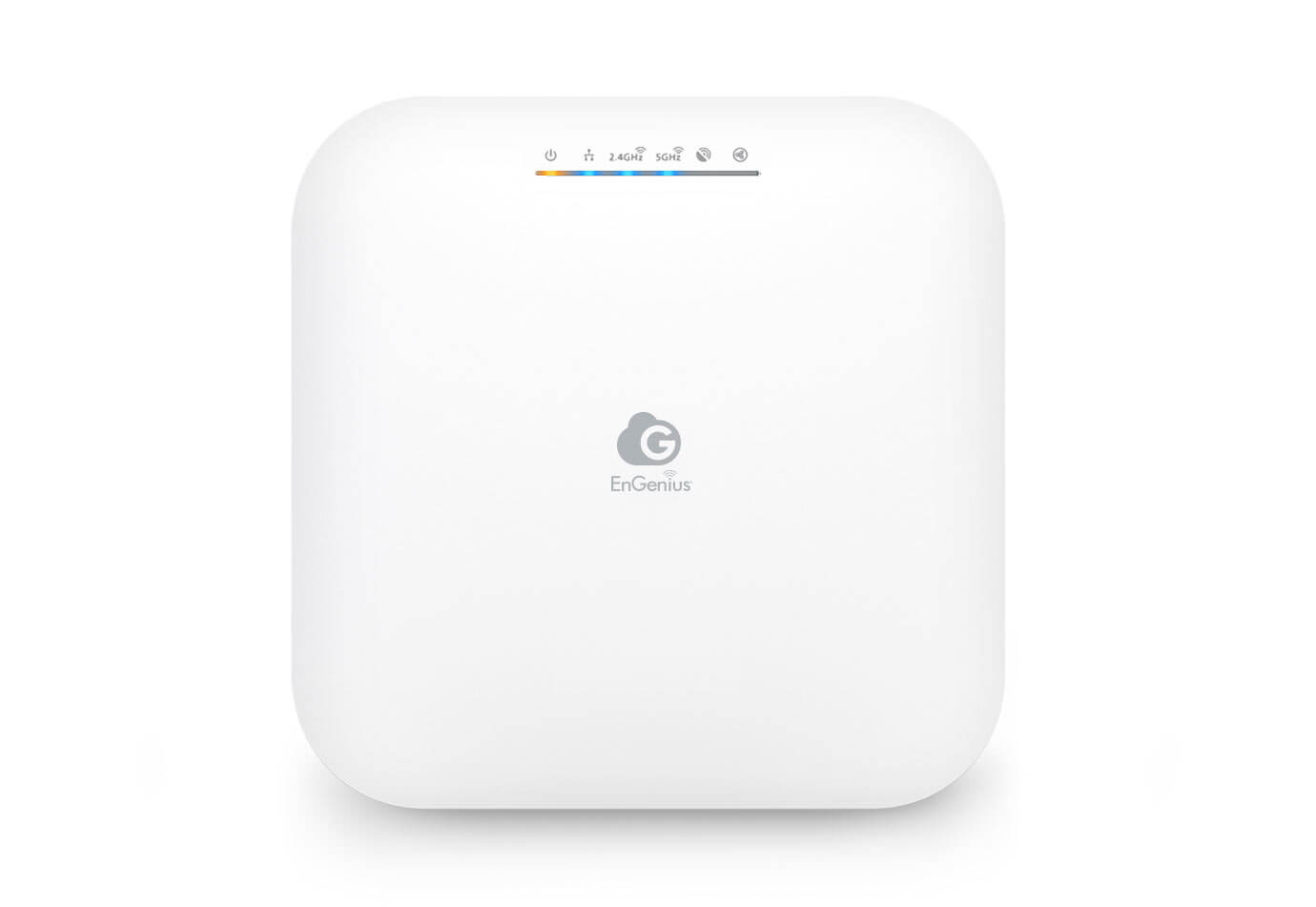
Office Wi-Fi Problems? How a Proper Indoor Wireless Access Point Solves The
If you work in an office — even a small one — you’ve definitely heard these complaints:
“Why is the Wi-Fi so slow today?”
“My Zoom keeps freezing.”
“I can’t upload files, the network is stuck again.”
“Can someone reset the router please?”
Nothing kills productivity faster than unstable Wi-Fi.
Yet, most companies still rely on a single home-grade router to support dozens of devices, video meetings, cloud software, VoIP phone systems, and daily file transfers.
Here’s the truth:
Modern offices cannot run smoothly without proper wireless access points.
Not boosters.
Not cheap routers.
Not repeaters.
But real indoor wireless access points — built specifically for high-density office environments.
In this guide, we’ll break down:
✔ Why office Wi-Fi always becomes slow or unstable
✔ What an indoor wireless access point actually does
✔ How access points solve common business Wi-Fi problems
✔ Why EnGenius wireless access points are a top choice in Malaysia
✔ How to choose the right access point for your workspace
✔ Real examples of performance improvements
✔ Setup tips for maximum coverage and stability
✔ And finally — how your business can get expert installation & support in Malaysia
Let’s dive in.
1. Why Office Wi-Fi Always Fails: The Real Reasons
Most Wi-Fi issues aren’t random — they’re predictable and avoidable.
1. Your router is overworked
A cheap ISP router is designed for 5–10 devices.
A normal office may have 50–300 devices connected:
- Laptops
- PCs
- Smartphones
- Tablets
- Video conferencing systems
- Smart TVs
- Printers
- IoT devices
- Cloud-based apps
That single router simply cannot handle the load.
2. Wi-Fi “dead zones” everywhere
Conference rooms, corners, meeting pods, server rooms — all these areas often suffer from weak signals.
Why?
Routers can’t penetrate:
- Thick concrete walls
- Glass partitions
- Office cabinets
- Long corridors
3. Interference from neighboring Wi-Fi
In offices with multiple tenants:
- 10–50 other networks overlap
- Each fighting for the same wireless channels
- Resulting in congestion and dropouts
4. Too many video meetings
Zoom, Teams, Google Meet…
Every meeting uses heavy bandwidth.
If 10 people start video calls at the same time, your network will choke without proper access points.
5. Cloud-based operations
Modern companies use:
- Google Drive
- OneDrive
- SharePoint
- Dropbox
- CRM systems
- Cloud servers
- Online ERP
- VoIP phones
All of which depend on stable Wi-Fi.
Bottom line:
Most Wi-Fi issues happen because offices are using consumer equipment instead of enterprise-grade access points.
2. What Is an Indoor Wireless Access Point? (And Why Offices Need One)
Many businesses confuse routers, extenders, and access points.
Let’s clear that up.
Router:
✔ Creates the network
✔ Handles modem connection
✘ Not designed for high-density, multi-user environments
Wi-Fi Repeater / Extender:
✔ Boosts weak signals
✘ Cuts bandwidth in half
✘ Not stable for business use
Indoor Wireless Access Point:
✔ Takes internet from your router
✔ Distributes Wi-Fi evenly across the office
✔ Handles hundreds of users
✔ Supports long-range coverage
✔ Ensures stable & fast throughput
This is the correct solution for office Wi-Fi.
An access point works like installing multiple “Wi-Fi hubs” across the office:
- One in the meeting room
- One in the council room
- One in the open office
- One at the reception
- One at training rooms
Each access point provides strong, uninterrupted connectivity.
3. How an Indoor Wireless Access Point Fixes Office Wi-Fi Problems
Let’s connect the dots.
Here’s how proper access points solve all your everyday office issues.
✔ Eliminates dead zones completely
Every corner gets consistent coverage.
Your team can walk around the office with uninterrupted Wi-Fi.
✔ Solves slow internet even with many users
Enterprise access points can support:
❯ 100–300 users PER UNIT
❯ Multiple frequency bands
❯ High-throughput traffic
Perfect for large teams, call centers, training rooms, etc.
✔ Stops Zoom/Teams from lagging
With dedicated antennas & MU-MIMO technology, video calls stay stable even during peak hours.
✔ Provides full-speed Wi-Fi even far from the router
No more “signal drops” just because you’re sitting in the meeting room.
✔ Reduces network interference
Access points can auto-select the cleanest channels.
✔ Allows central management
You can monitor the whole office network from one dashboard:
- Who is connected
- Bandwidth usage
- Performance logs
- Troubleshooting alerts
✔ Supports long-term scalability
Need more coverage later? Add another access point anytime.
4. Why EnGenius Wireless Access Points Are a Top Choice in Malaysia
If you’re searching for best long-range indoor wireless access points, the EnGenius lineup is one of the most reliable in Malaysia.
Here’s why many IT teams prefer EnGenius:
✔ Exceptional long-range performance
Perfect for larger offices with many partitions.
Strong penetration through walls.
✔ High-capacity performance
Supports dozens of simultaneous video calls without lag.
✔ Enterprise-grade reliability
Stable operation for 24/7 offices, call centers, factories, and schools.
✔ Central cloud management
Monitor, configure, and troubleshoot multiple APs remotely.
✔ Affordable compared to Cisco/Aruba
Enterprise performance without enterprise pricing.
Popular models include:
- EnGenius ECW120 – high-efficiency indoor Wi-Fi
- EnGenius ECW220 – long-range, great for offices
- EnGenius ECW230 – ultra-powerful AP for heavy business use
5. How to Choose the Right Indoor Wireless Access Point (Buyer’s Guide)
Before buying an access point, consider these factors:
1. Office size & layout
Is your space:
- < 1,500 sq ft
- 1,500–3,000 sq ft
- 3,000–10,000 sq ft
Bigger offices need more APs.
2. Number of users
A team of 10 is very different from 120 users.
3. Type of usage
Do you use:
- Cloud apps?
- Heavy video calls?
- ERP systems?
- Shared drives?
More bandwidth = higher-end AP needed.
4. Ceiling or wall mount?
Ceiling mount is ideal for uniform coverage.
5. Security
Business-grade APs like EnGenius come with:
- WPA3 encryption
- Guest network options
- Access control
6. Scalability
Choose models that can be easily expanded.
6. Real Examples: How Access Points Improved Office Wi-Fi
Case Study 1: Accounting firm in Penang
Problem:
Slow Wi-Fi due to cloud QuickBooks + Zoom meetings.
Solution:
Installed 4 long-range EnGenius APs.
Result:
- 400% faster Wi-Fi
- No more dropouts
- Smooth daily operations
Case Study 2: 3-floor corporate office
Problem:
Dead zones in meeting rooms & training halls.
Solution:
Installed 8 ceiling-mounted APs.
Result:
- Full coverage on all floors
- Better productivity during training sessions
- IT issues dropped drastically
Case Study 3: Co-working space
Problem:
100+ users daily, constant network complaints.
Solution:
Replaced repeaters with EnGenius enterprise APs.
Result:
- Instant improvement
- Stable high-density performance
- Positive tenant feedback
7. Setup Tips to Maximise Wi-Fi Performance
- Install APs on the ceiling (best coverage)
- Avoid placing APs near metal cabinets
- Keep at least 8–10 meters between APs
- Use LAN cable to each AP — avoid mesh for offices
- Enable WPA3 security
- Separate guest and staff networks
- Use dual-band or tri-band APs
- Position APs evenly across floors
Done right, your Wi-Fi instantly becomes faster and more stable.
Conclusion: Great Wi-Fi Is No Longer Optional — It’s a Business Essential
Unstable Wi-Fi slows everything down:
❌ Sluggish cloud apps
❌ Unproductive employees
❌ Laggy video calls
❌ Delayed uploads
❌ Constant IT complaints
A proper indoor wireless access point system transforms your office into a:
✔ High-speed
✔ High-stability
✔ High-efficiency
workspace.
And with professional setup, your network can run smoothly for years — without constant troubleshooting.
📞 Ready to Fix Your Office Wi-Fi Once and for All?
C.T.Technology (PG) Sdn Bhd is a trusted supplier in Malaysia for:
✔ EnGenius Wireless Access Points
✔ Indoor Wi-Fi Solutions
✔ Office Network Setup
✔ Long-range Wi-Fi coverage
✔ Consultation, installation & troubleshooting
Whether you’re upgrading your current system or setting up a new office, we provide full consultation, proper installation, and long-term support.
📞 Contact us: 016-4224178
🌐 Request for more info or consultation today.
We’ll help you build a fast, stable, and future-proof office Wi-Fi system — the right way.
